Browsing communities and organisations
Search the member directory, filter it, and open a member profile.
The member directory lists the villages, communities and organisations that make up Smart Village Network. It is open to everyone, with or without an account.
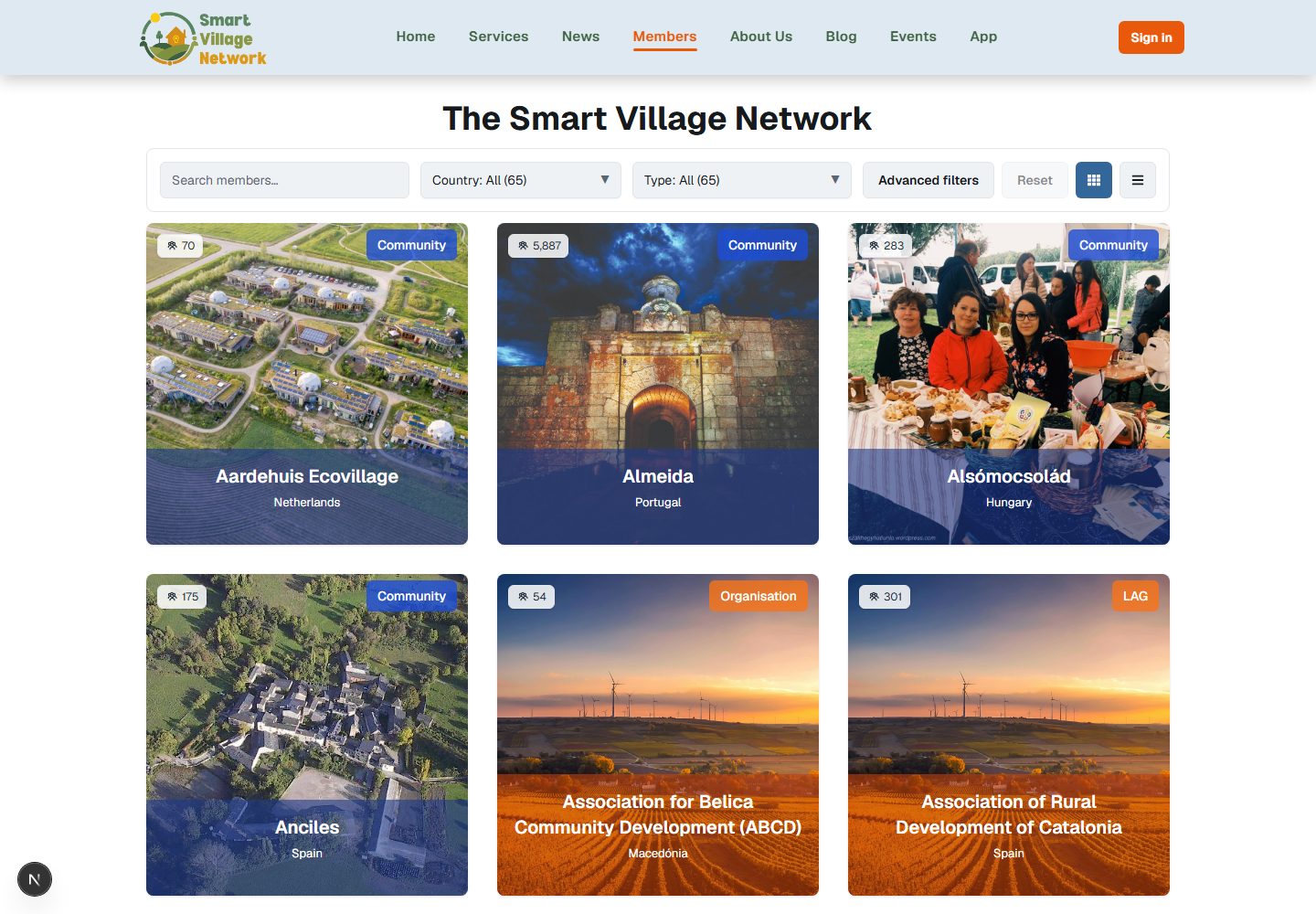
What the directory shows
Members are displayed as cards. You can switch between a grid of cards and a single-column list using the view control above the results.
A counter beneath the results shows how many members are displayed out of those matching your filters, and a Load more button appears while more results remain.
Filtering the list
The basic filters are available without an account:
| Filter | What it does |
|---|---|
| Search | Matches text in the member name, the country, and the member's own description |
| Country | Restricts the list to a single country |
| Member scope | Switches between all members, communities, and organisations |
Filters apply immediately; there is no separate search button. A counter shows how many filters are active, and a reset control clears them all at once. If nothing matches, the page says No members found and offers to reset the filters.
Advanced filters
An Advanced filters panel adds population range, thematic tags, area types, and filters for members that have published challenges, assets, flagship projects or cooperation offers.
It is only available to signed-in members. Without an account you see a short message explaining that signing in gives access to the advanced filters and to additional member information, with a Log in button and a Join the network link. The message is not an error: some member information is reserved for members of the network.
Opening a member
Selecting a member card opens that member's page, which shows the information its owners have chosen to publish — commonly a description, a location, contact details, and links to the member's own channels. Member pages that are not published publicly are not listed in the directory.
Tip If you are looking for members working on a particular topic, the thematic tags in the advanced filter panel are the quickest route. A plain search only matches text that appears on the member card.