Signing in
Sign in with your password or with a one-time code sent to your email.
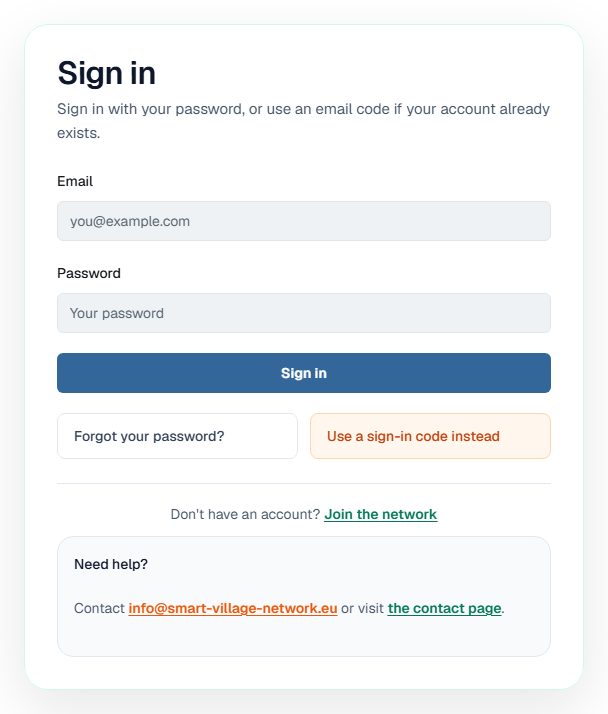
The sign-in page offers two ways in. Use whichever you have to hand.
Sign in with your password
- Open Sign in.
- Enter the email address registered on your account.
- Enter your password.
- Submit the form.
You arrive at your account area, where your own details and the areas you are allowed to use are listed.
Sign in with an email code instead
If you do not have your password available, the sign-in page offers a second route.
- Choose Use a sign-in code instead.
- Enter your email address.
- Request the code and wait for the email to arrive.
- Enter the 8-digit code you received.
Note A sign-in code only works when an account already exists for that email address. If you have never received an invitation, see Joining Smart Village Network.
When you cannot sign in
| Situation | What to do |
|---|---|
| You have forgotten your password | Choose Forgot your password? on the sign-in page |
| The email with your code has not arrived | Check spam, then request a new code; older codes stop working |
| The code is rejected as invalid or expired | Request a new code and use only the most recent email |
| You are still blocked | Use the help box under the form, which links to the support address and the contact page |
Warning Each new code replaces the previous one. If you request several codes in quick succession, only the newest will work.